Interrupt locks
14+ mini-games sit between you and your distracting apps. Math, Sudoku, Chimp Test, Pattern Memory, Stroop, Snake, Number Memory — pick what fits your effort threshold. Each has 5 difficulty levels.
Otama puts a mini-game, a breathing exercise, or a 90-second timer between you and the apps that waste your day. Skip them if you want — but only after you've actually thought about it.
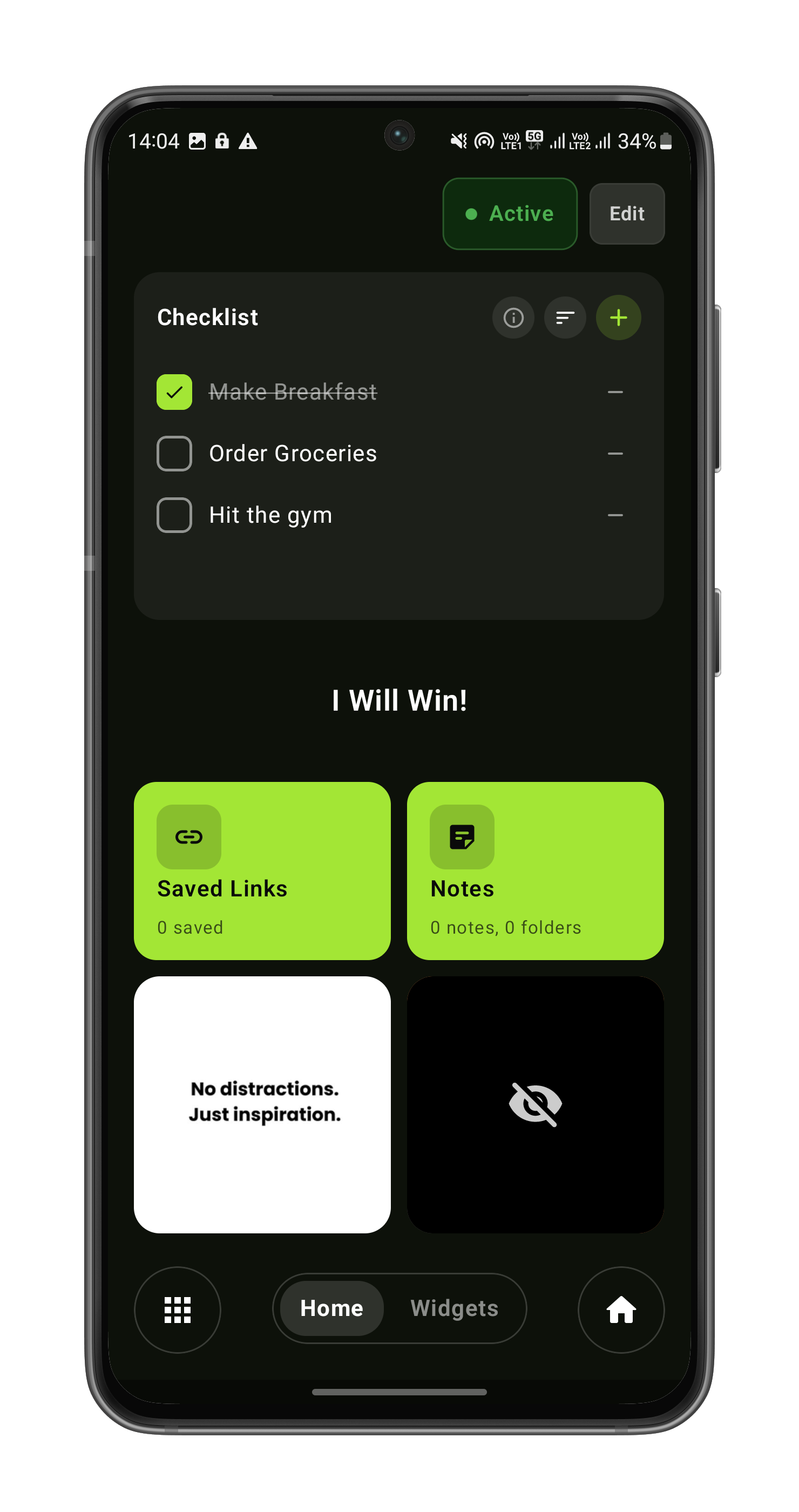
Otama on real Android phones.
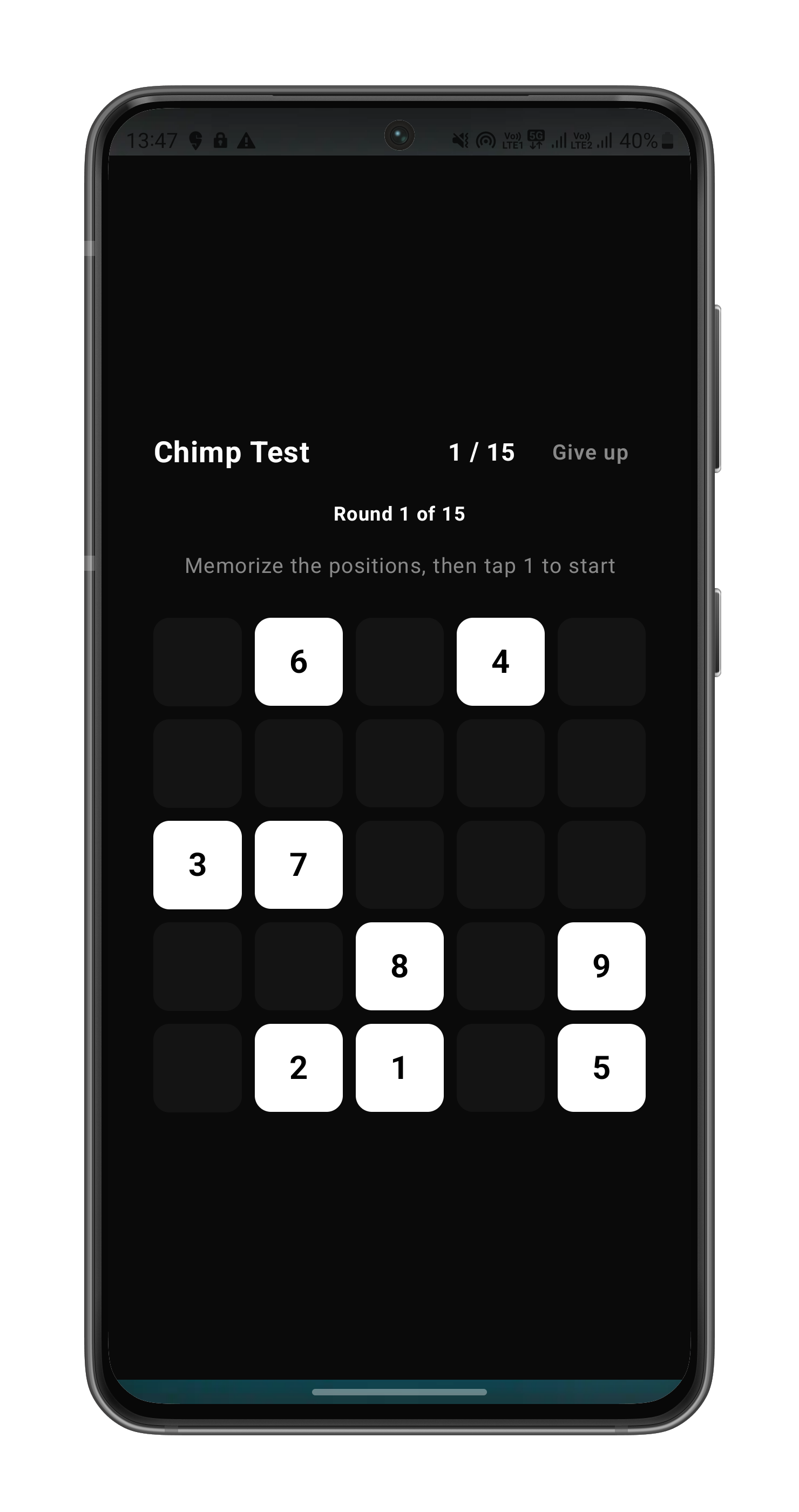
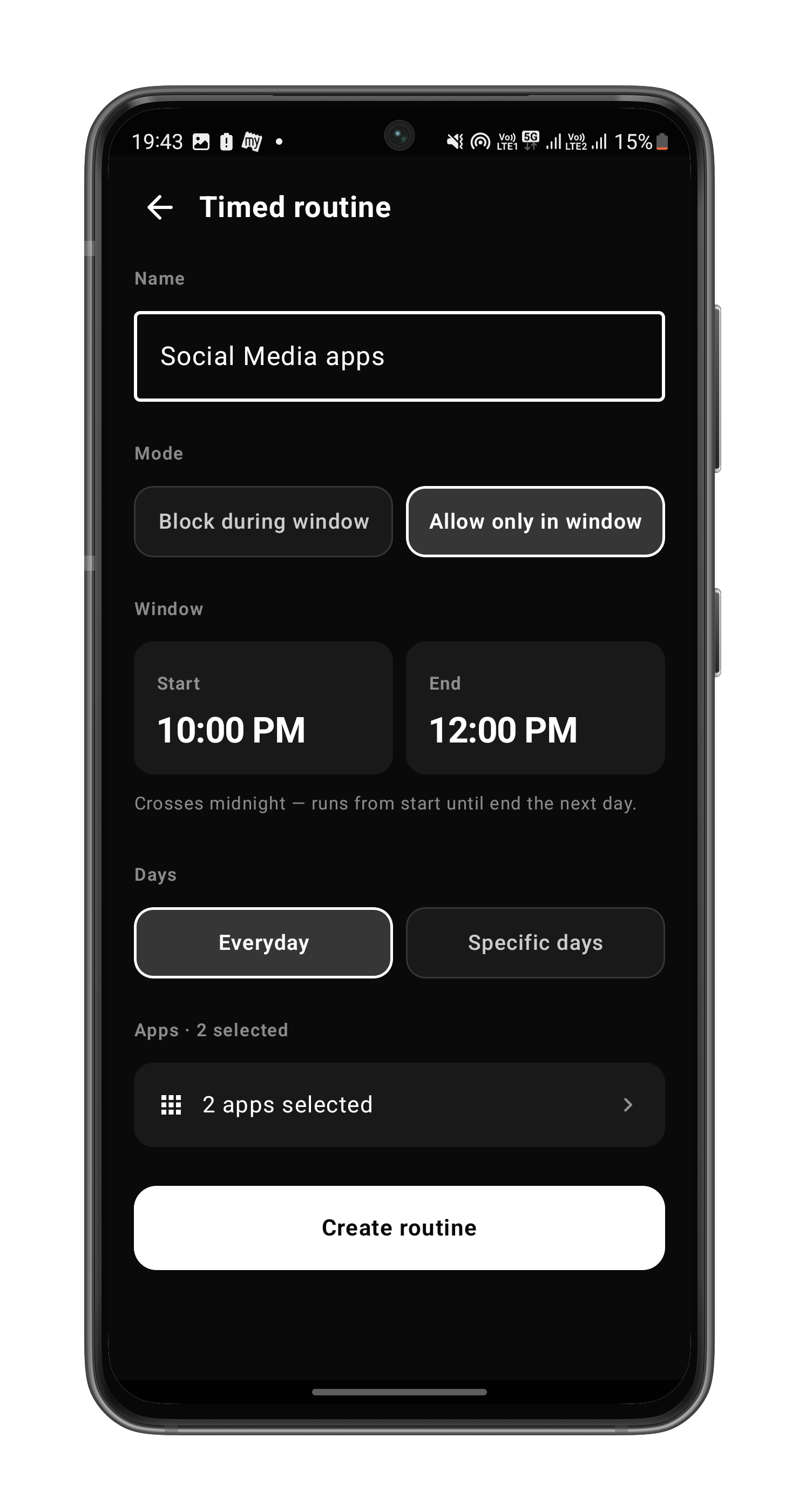
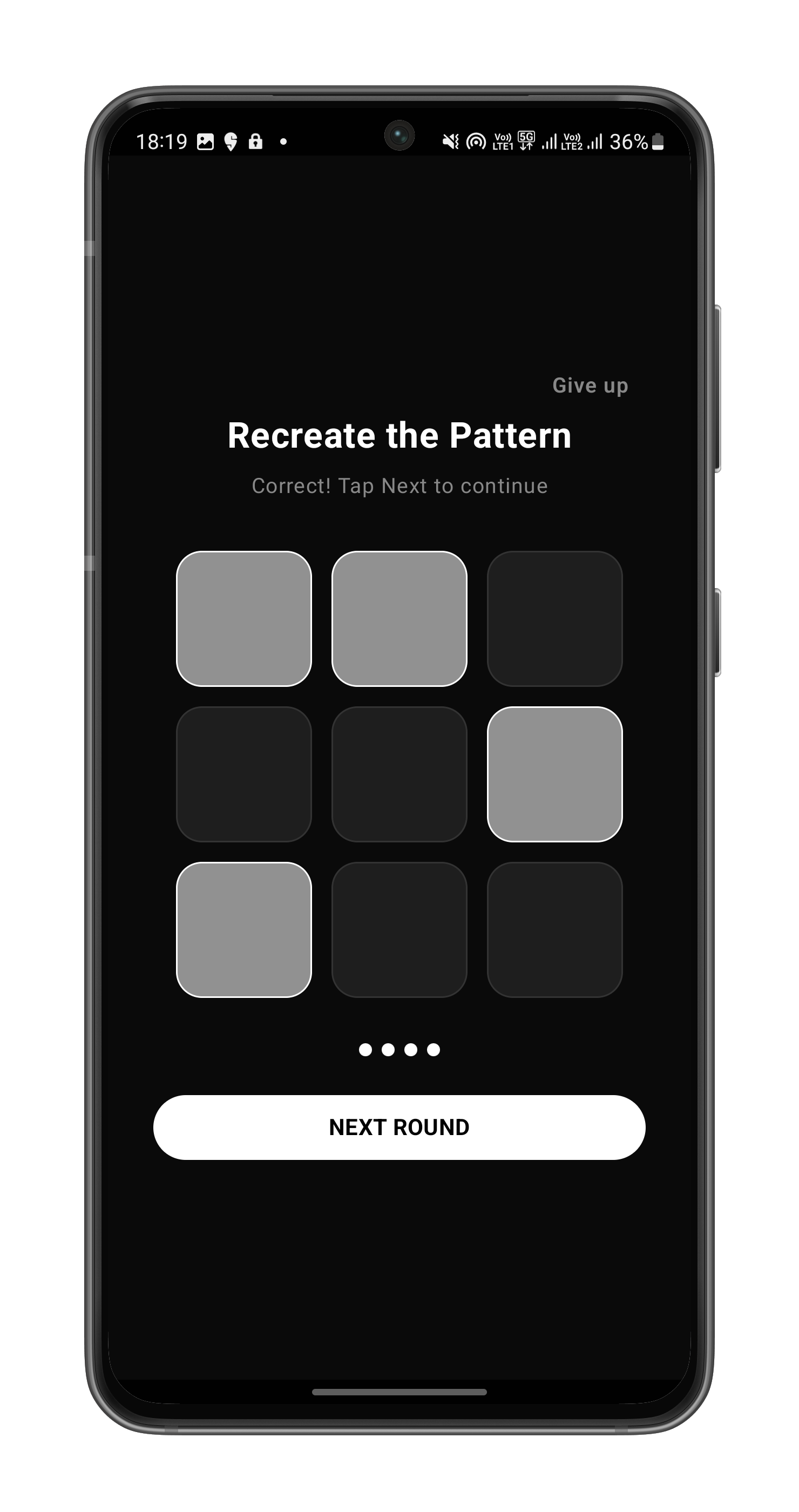
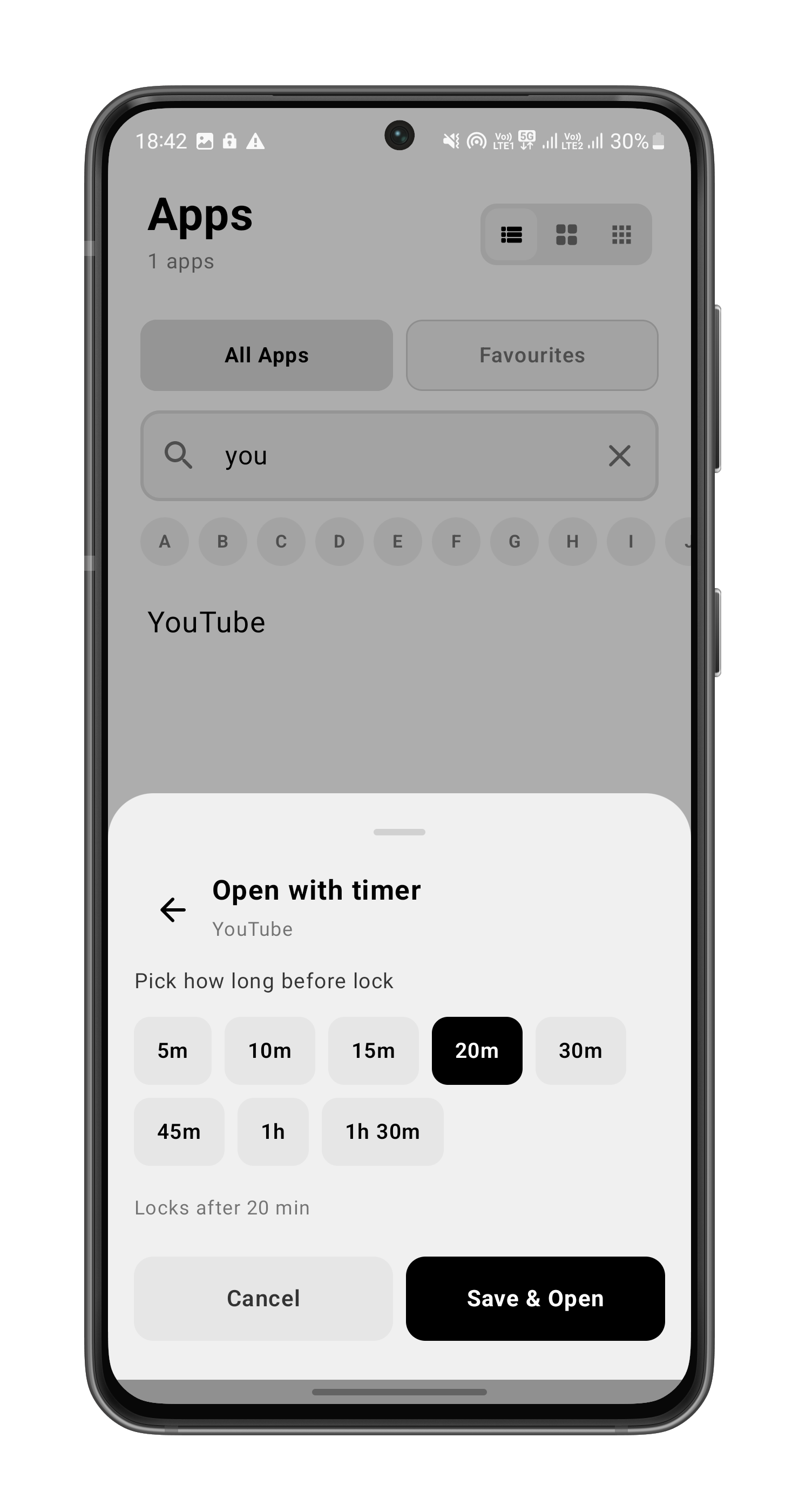
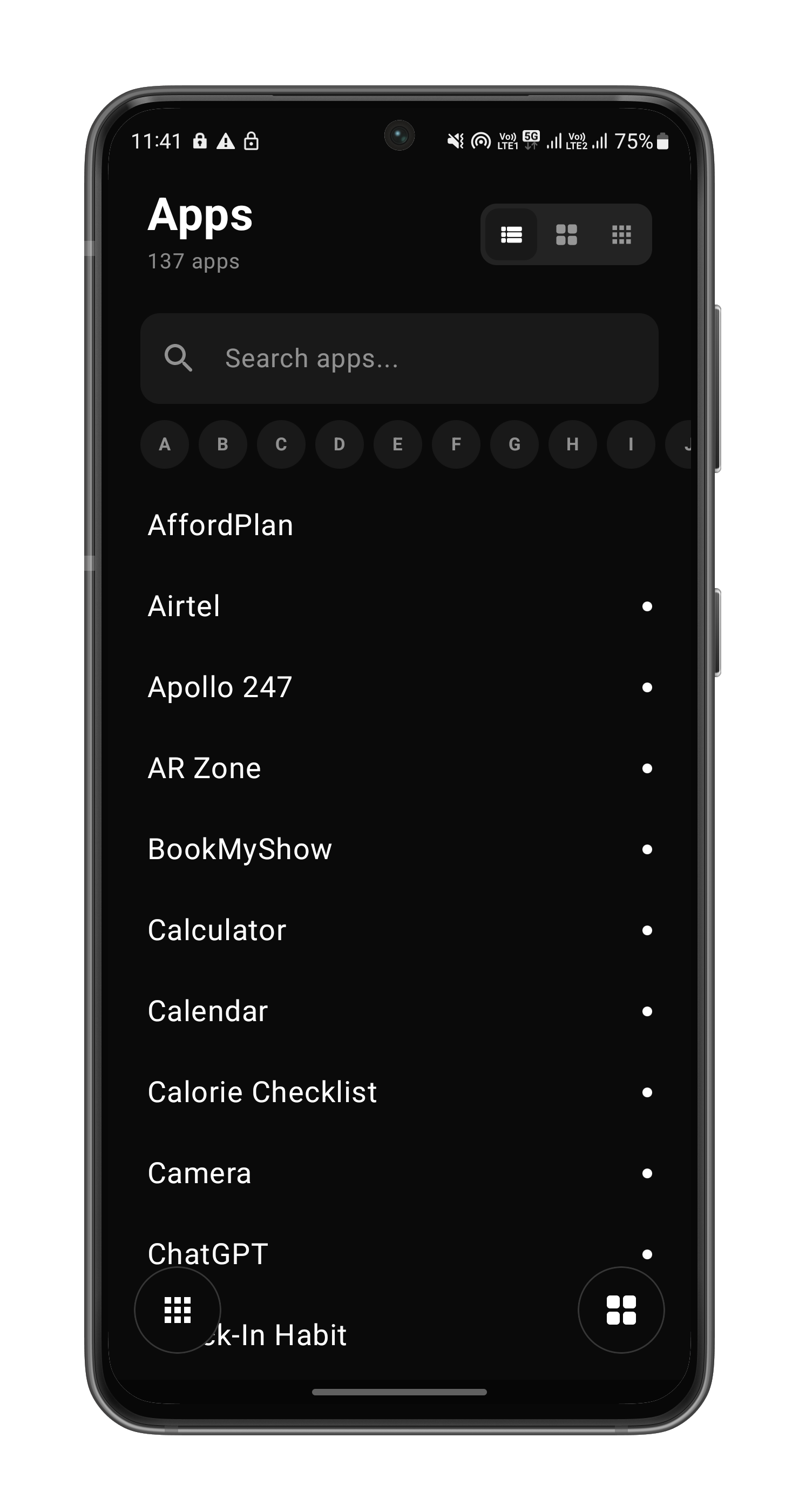
Every feature designed around a single question: does this help you spend less time on autopilot?
14+ mini-games sit between you and your distracting apps. Math, Sudoku, Chimp Test, Pattern Memory, Stroop, Snake, Number Memory — pick what fits your effort threshold. Each has 5 difficulty levels.
30 seconds to 3 minutes of guided 4-4-4-4 breathing before the app opens. Slower than a game, faster than meditation. Resets your nervous system, not just your habit.
Block apps during work hours, study sessions, or sleep. Pick days, hours, exceptions. The schedule does the discipline for you.
Group multiple apps into one focus mode. "Deep Work" blocks Instagram, TikTok, and Twitter at once. "Sleep" adds Reddit and YouTube. One tap toggles them all.
Notes, to-dos, habit tracker, Pomodoro, countdowns, saved links, scratch pads. Build the home screen that actually serves you, not the one that serves ads.
Pure black-and-white Obsidian, white-on-black minimal, accent variations, Hue family. Designed first, then themed — every theme keeps the launcher's calm.
10 app slots in 2 swipeable pages. Your most-used apps, one tap away. The drawer is for everything else.
No account. No analytics. No crash reports. No servers. The list of which apps you block stays on your device, where it belongs.
14 games. Each one targets a different kind of focus — working memory, attention, logic, restraint. Pick the friction that fits your moment.
Every screen-time app you've tried sits at the edge of your phone. Otama is at the center.
| Screen-time apps | Otama | |
|---|---|---|
| Where it lives | A settings page you forget to open | Your home screen, every time you unlock |
| Default app drawer | Designed for engagement | Designed for ignoring |
| Block bypass | Tap a confirm button | Solve a puzzle, breathe for a minute, or wait |
| Time tracking | Shows you the damage | Prevents the damage |
| Data collection | Usually some | Zero. Offline, no account, no servers |
| One-time pricing | Rarely | Yes — lifetime tier available |
Otama isn't a one-size-fits-all productivity tool. It's built for specific problems people have with their phones. If any of these sound like you, the app probably fits.
You don't want to rely on willpower at 2pm when your brain is tired. You want the apps simply unreachable during the hours you've committed to focus, then back to normal in the evening.
You've tried screen-time limits. You tapped through the "you've reached your limit" warning the first time and never noticed it again. You need real friction — not a polite suggestion.
You like the calm of a minimalist home screen. But "minimalist" alone doesn't stop you from typing 'i-n-s' and hitting Instagram in 1.2 seconds. The launcher itself needs to push back.
Most productivity and screen-time apps require an account, sync to a cloud, and run analytics SDKs in the background. The irony of an app that watches everything you do to help you watch less isn't lost on you.
The whole point of a focus app is undermined if it takes one tap to turn off. You need something that requires real effort to unlock — and real time to disable.
The mini-games aren't filler. They're real cognitive tests — Schulte tables, Stroop, Chimp test, Number Memory, Visual Memory. The same kind cognitive scientists use to measure attention and working memory.
Otama isn't the only app trying to help with phone use. Here's an honest look at where it fits.
Opal is a polished iOS-first focus app with deep gamification and a strong community. It works on Android but the experience is best on iOS.
Otama is Android-native and replaces your launcher rather than running alongside it. The interrupts hit at the moment you press Home, not just when you open a specific app. Otama also has 14 brain games to Opal's small set of confirms, and a one-time lifetime purchase option Opal doesn't offer.
Pick Otama if you're on Android and want the launcher itself to push back.
One Sec adds a single deep-breath pause before opening chosen apps. It's deliberately minimal — one mechanic, polished.
Otama includes the breath-pause idea (Box Breathing is one of the 14 interrupts), but adds time locks, routines, brain games, and full launcher replacement. If One Sec wasn't enough to change your habits, Otama is what comes next.
Pick Otama if One Sec was too easy to bypass.
Digital Wellbeing is built into Android. It tracks usage and offers basic timers and a "Focus Mode" that pauses chosen apps.
Otama goes beyond tracking and one-tap pauses. The interrupts require actual cognitive effort to bypass, time locks are schedule-based and survive reboots, and the launcher itself is designed to reduce baseline impulse — not just measure it.
Pick Otama if you've tried Digital Wellbeing's Focus Mode and tapped past the block every time.
Niagara and Olauncher are excellent minimalist Android launchers focused on calm aesthetics. They don't block or interrupt anything.
Otama is both: a minimalist launcher AND a focus tool. You get the calm home screen, plus optional interrupt locks and time blocks layered on top — turn them on only for the apps you actually struggle with.
Pick Otama if you love Niagara's aesthetic but still find yourself opening Instagram from it.
Otama replaces your Android home screen with a minimal launcher. When you try to open apps you've marked as distracting (Instagram, TikTok, Reddit — your choice), Otama shows a mini-game, breathing exercise, or timer. You have to complete it to continue. The friction is small enough that you can bypass it when you genuinely need to, but big enough that mindless opens stop happening.
You can use Otama's app-blocking features without setting it as your launcher, but the experience is significantly weaker. The launcher integration is the point — interrupts catch you the moment you press Home, not just when you tap a specific app icon. We recommend setting Otama as your default launcher for the full experience.
No. Otama is fully offline. No account, no email required, no analytics SDKs, no crash reporters, no servers we run. The list of which apps you block, the content of your notes and to-dos, your theme preferences — all stored on your device, none of it ever leaves. Read the privacy policy for the full breakdown.
Opal and One Sec are great apps but they live as separate tools you have to open. Otama is your launcher — it's already there every time you unlock your phone. You don't have to remember to use it. Otama also has a much wider mini-game library (14+ games vs the 1-2 most competitors offer), and a lifetime purchase option.
Otama supports Android 10 and newer. It works on every major manufacturer (Samsung, Google Pixel, OnePlus, Xiaomi, Motorola, etc.). It needs three permissions to function: Usage Access (to detect which app you opened), Display Over Apps (to show the interrupt overlay), and Default Home App role (to be the launcher).
Yes — open Android Settings → Apps → Default Apps → Home App, and switch back to your previous launcher. Then uninstall Otama. All locally stored data is removed when you uninstall.
Not currently. iOS doesn't allow third-party launchers, so the core experience can't be replicated on iPhone. We're considering a focused iOS app that uses Screen Time / Family Controls APIs, but it would be a different (smaller) product.
All three unlock the same Pro features. Monthly ($1.99/mo) is for trying Pro briefly. Yearly ($9.99/yr) saves about 58% if you stick with it. Lifetime ($24.99 once) pays for itself in roughly 2.5 years of monthly and never charges you again — recommended if you know you want to keep using it.
Otama is a launcher and focus tool — not a phone replacement. Calls, messages, and contacts all still work through your existing apps (Phone, Messages, Contacts). Otama doesn't read or touch any of them.
No. Never. There are no ads in Otama and there never will be. The free tier is free, the paid tier is paid, and your home screen stays yours.
Free to download. Pro when you decide it's worth it. Offline always.
Get Otama on Google PlayDownload now on play store for free Otama Launcher